DIA is a global platform that connects domestic and international customers with medical beauty clinics. By joining for free, you can directly manage profiles, appointments, consultations, reviews, events, and statistics within the Clinic Manager (CRM). If you follow the steps below, Sign Up → Register → ApprovalIt ends up to.
① Application for Membership · Store Entry
k-dia.com/hospital-adminAfter logging in, "Register Partner Hospital"
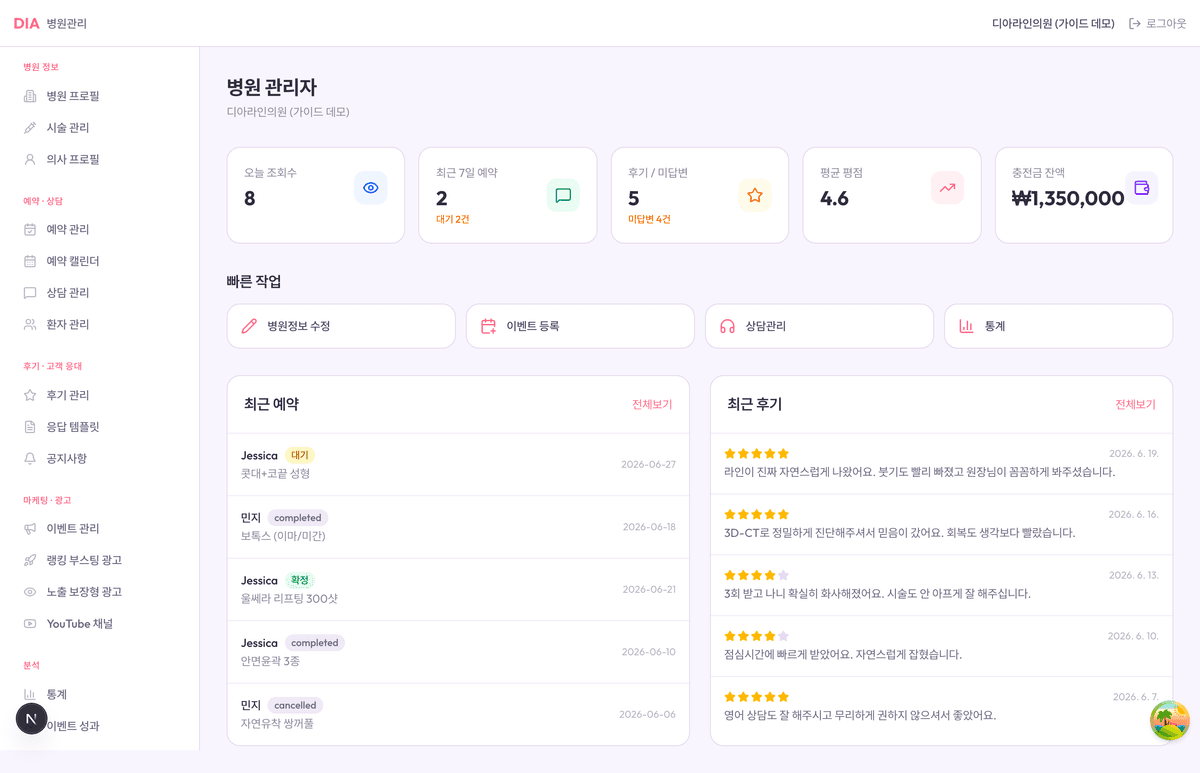
② Experience accounts to explore first
demo-clinic-owner@diaad.co.kr
password DiaDemo2026!
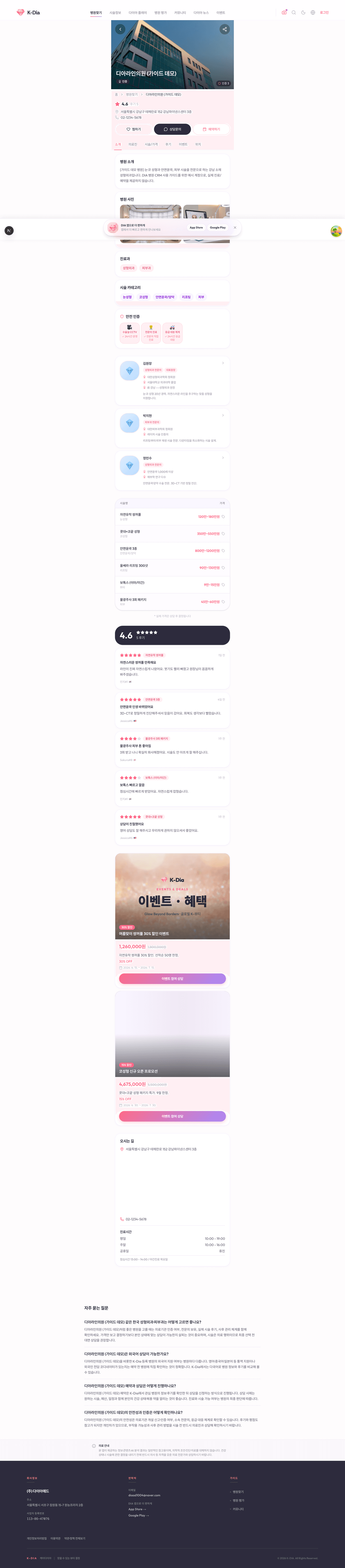
Public profile example
/hospitals/dia-demo-clinicThe actual screen where the input result is displayed
How to join
Sign Up / Log In
k-dia.com Create an account and log in.
Hospital Manager (CRM) Entry
Logged in /hospital-admin Connect. If there is no hospital yet, the "Register Partner Hospital" guide will be displayed.
Fill out the registration form and submit
Enter the hospital name, address, contact information, business registration number, representative, and medical department, and submit after agreeing to the terms and conditions.
Store Entry Signing · Document Submission
The hospital is created in "Under Construction" status immediately upon submission. Submit the electronic signature for the store entry agreement and the required documents (Business Registration Certificate and Medical Institution Establishment Permit).
Automatic Approval · Exposure
Once the contract is signed and all required documents are completed, it will be automatically approved immediately and displayed on the public site (Hospital Finder/Search). CRM features are available immediately after registration.
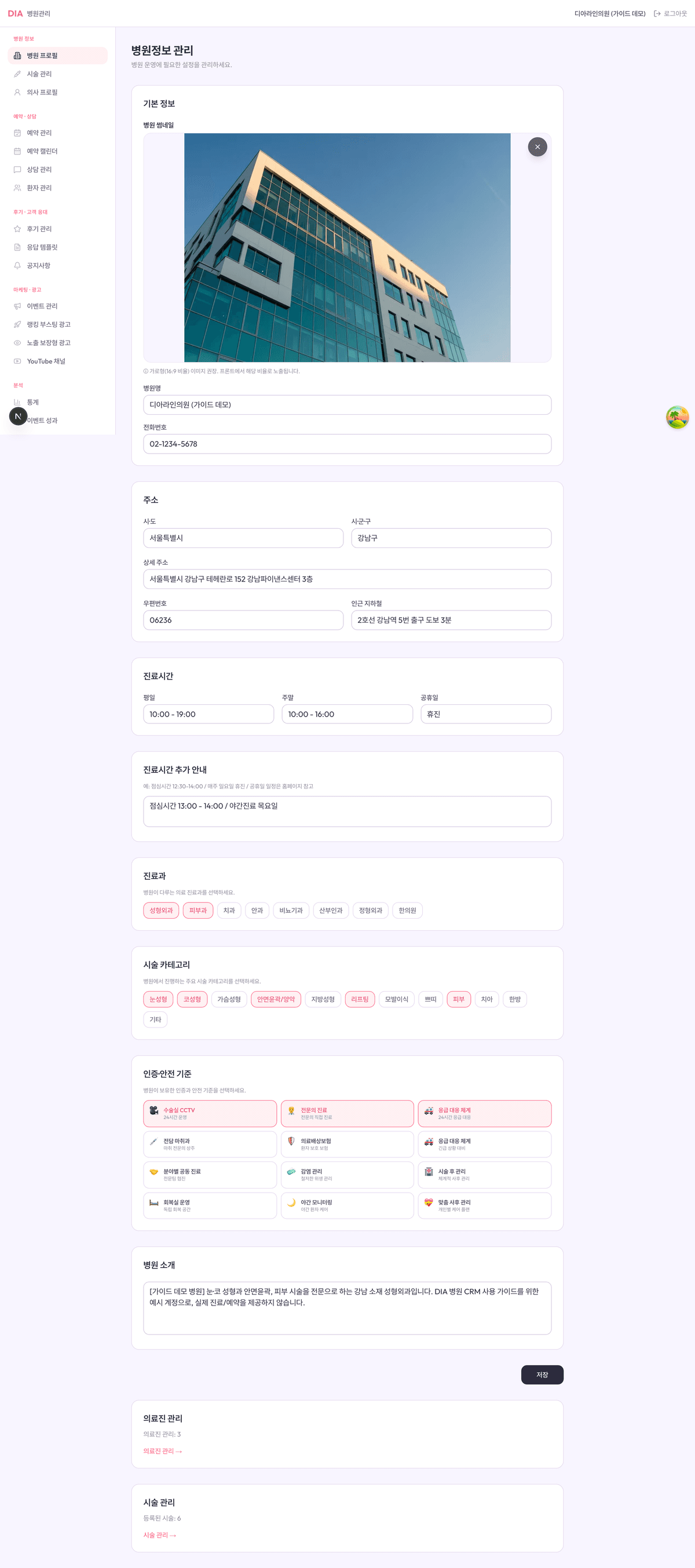
Application
The official hospital name to be displayed on the public profile.
City/Province / City/County/District / Detailed Address. Used for map and search display.
Main phone number.
Used for store entry screening (medical institution verification).
Representative of the medical institution.
Select one or more (multiple selections possible). Search/filter criteria.
Benefits
Provides a free public profile containing hospital introduction, location, medical departments, and certifications.
1:1 chat with customers, reservation reception and status management, and the calendar all on one screen.
We check customer reviews and build credibility through hospital responses.
After joining
This is a place where you directly manage all content after joining. Once saved, it is immediately reflected on the app and web without separate distribution.
/infoBasic Information · Address · Business Hours · Departments · Certification.
/proceduresRegister Procedure, Price Range, Duration/Recovery Period.
/doctorsMedical Staff Photos, Profiles, and Representative Procedures
Result
Hospital information, doctors, procedures, reviews, and events entered into the CRM are reflected exactly as they are on the hospital detail pages of the actual app/website. No separate deployment is required.
Agreement
This is the standard agreement between DiaAd Co., Ltd. and participating medical institutions. You can view the full text directly on the web or download the original file (.docx) for review.
Ask first
You can inquire immediately without signing up. Please leave any details regarding fees, required documents, exposure methods, etc., and the operations team will contact you.
Policy & contact
Partner Privacy Policy
Partner Personal Information Collection and Use Guide
Terms and Conditions for Outsourcing Reservation Services
Conditions for entrusting customer reservation reception and management
Terms and Conditions for Outsourcing Prepayment Services
Conditions for entrusting reservation prepayment processing
With just a single partner registration after signing up, you can promote your hospital to domestic and international customers and manage reservations and consultations all in one place.
Apply to joinUpon registration The author becomes the representative manager (owner) of the hospital. Multiple managers can be assigned to a hospital to operate on a team basis.
Specialized procedures include eyes, nose, lifting, and skin treatments. Additional procedures can be added after opening.
Introduction to the hospital's strengths. Can be modified after joining.
Agreement to Terms of Use and Partner Policy.
Store entry eligibility Any domestic medical institution holding a business registration (plastic surgery, dermatology, dentistry, ophthalmology, OB/GYN, orthopedics, Korean medicine clinics, etc.) is eligible to apply. Preparing your business registration certificate and medical institution establishment information in advance will expedite the approval process.
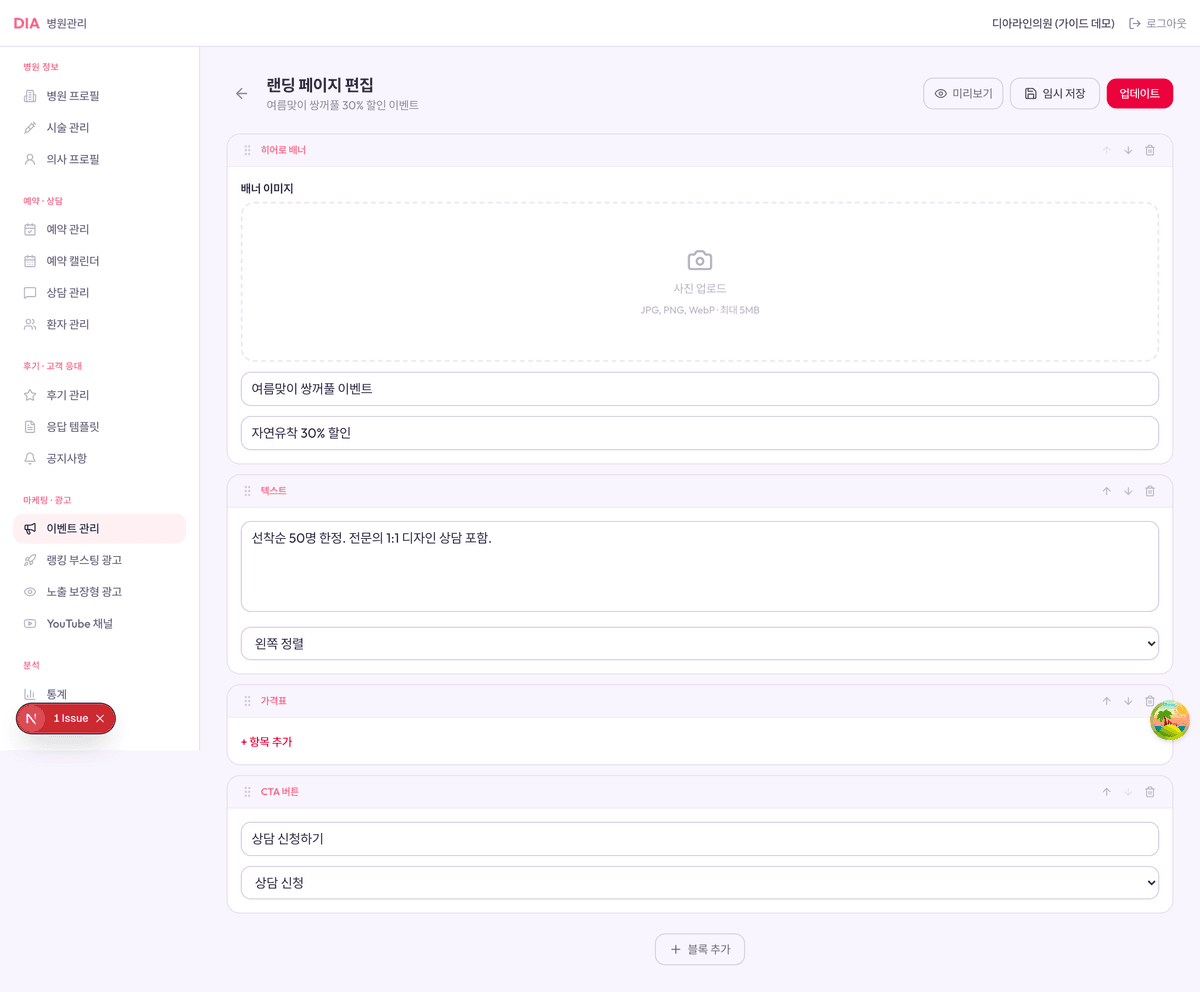
Create discount events and dedicated landing pages yourself to display on the app.
Verify views, reservation conversions, and projected sales with real data.
Translated into 19 languages and exposed to overseas customers with a single input.
/bookingsReservation status management + monthly calendar.
/consultations1:1 Real-time Chat · Reservation Suggestion · Automatic Translation.
/patientsView all customers with reservation and consultation history.
/reviewsCheck reviews + Write a hospital response.
/eventsDiscount Event + Block Landing Builder.
/youtubeChannel Registration → Shorts Feed Exposure (After Approval).
/statsPerformance Analysis, CSV & Report Download.
/consultationsDirect contact and status management via the messenger ID left by the customer.
/settingsBusiness Hours · Settlement Account · Person in Charge.
Representative's Consent Form for Collection and Use of Personal Information
Consent to Medical Institution Representative Information
